How to check the battery of a used smartphone before buying
A quick guide on how to verify the battery health of a second-hand smartphone to ensure you are getting a reliable device.
 🏙️City
Photo: UNIAN
Key points
- Checking service history in system settings
- Identifying physical signs of tampering
- Risks of using non-genuine battery replacements
The importance of battery diagnostics
Buying a used smartphone is a great way to save money, but it comes with risks, primarily concerning the battery. As the most critical component for device performance, a worn-out battery can lead to sluggish operation and unexpected shutdowns. Experts advise against relying solely on the seller's word and suggest performing a thorough check before finalizing any deal.
What to look for during inspection
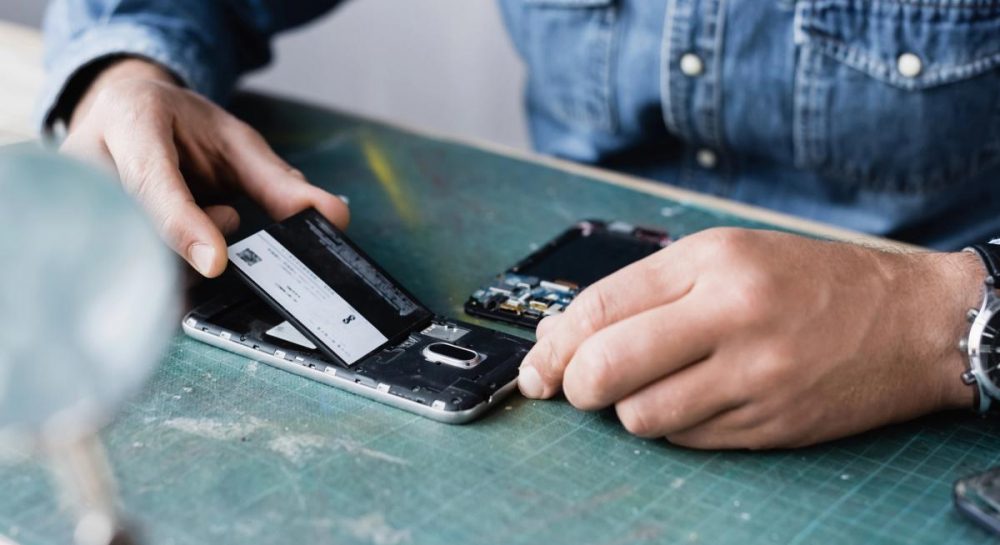
Start by examining the physical condition of the device. Poor display alignment or marks on the bottom screws can indicate that the phone has been opened for repairs. If possible, navigate to the device settings to check the 'Parts and Service History' section, which provides data on whether components have been replaced with non-genuine parts.
Using non-original batteries often leads to overheating and poor performance under load. If you are buying a second-hand device, always ask for documentation from a service center. Official refurbished programs remain the safest option, but if you are buying from a private seller, verifying the battery status through system settings is an essential step.
Source UNIAN — unian.ua/techno/gadgets/yak-pereviriti-akumulyator-u-vzhivanomu-tel… ↗
Read next
 🚨Events
Electricity Restored in Rivne Region After Russian Attack
Electricity has been restored in the Sarny district of the Rivne region after a Russian attack on November 20. More than 50 settlements were left without power.
 👥Society
Autumn Rose Care: Expert Advice for Gardeners
Experts explain why it is best to avoid radical pruning of roses until stable frosts arrive.
 🛡️Security
Estonia comments on incident involving Russian vessel in Gulf of Finland
Estonian authorities have reaffirmed Ukraine's right to self-defense, dismissing security concerns regarding their own territory following the incident in the Gulf of Fin…
 🛡️Security
Miracle under the rubble: 89-year-old woman rescued in Kyiv region following enemy strike
Rescue workers in the Kyiv region's urban village of Dymer have pulled an 89-year-old woman alive from beneath the ruins of a destroyed apartment building. Meanwhile, the…
 🛡️Security
Russian corvette 'Mercury' damaged in Libya: suspected Ukrainian drone attack
According to the Associated Press, an explosion occurred on board a Russian warship in the port of Benghazi, which may have been caused by a naval drone strike.
 🏛️Politics
Russian Provocations in NATO Airspace: Military Expert Assessment
Retired Ukrainian Colonel Dmytro Kashchenko argues that Russian missile and drone incursions into NATO airspace are calculated tests of the Alliance's defensive response …